Getting your xAI Management API key
xAI uses a separate Management API for billing and account data. This is different from the regular API you use to call Grok models. TokenMeter needs a Management-scoped key to read your balance and usage.
How xAI is different
Two separate APIs. xAI has a regular API at api.x.ai for model calls, and a Management API at management-api.x.ai for account/billing data. TokenMeter uses the management one.
xAI organizes accounts into Teams. Even if you're a solo user, you'll have a "default" team. The Management key is scoped to your team.
Step by step
Log into the xAI Console
Go to console.x.ai and sign in.
Select your team
If you have multiple teams, select the one you want to track. Most users just have "default".
Go to Settings → Management keys
Click Settings in the bottom of the left sidebar, then click the "Management keys" card.
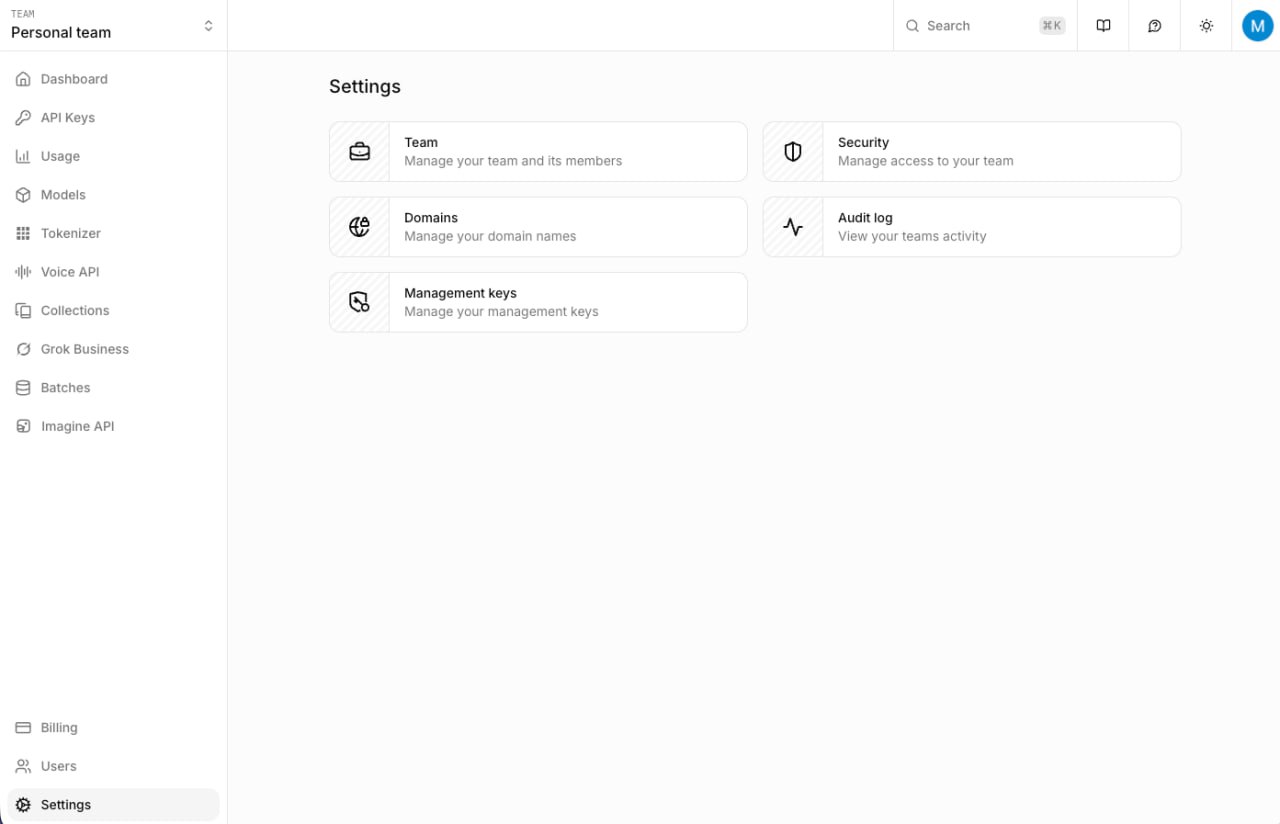
Click "Management keys" on the Settings page.
Create a management key
Click "Create management key". Give it a name like "TokenMeter". You need to enable Billing access — change it from "No access" to "Read" or "Full access".
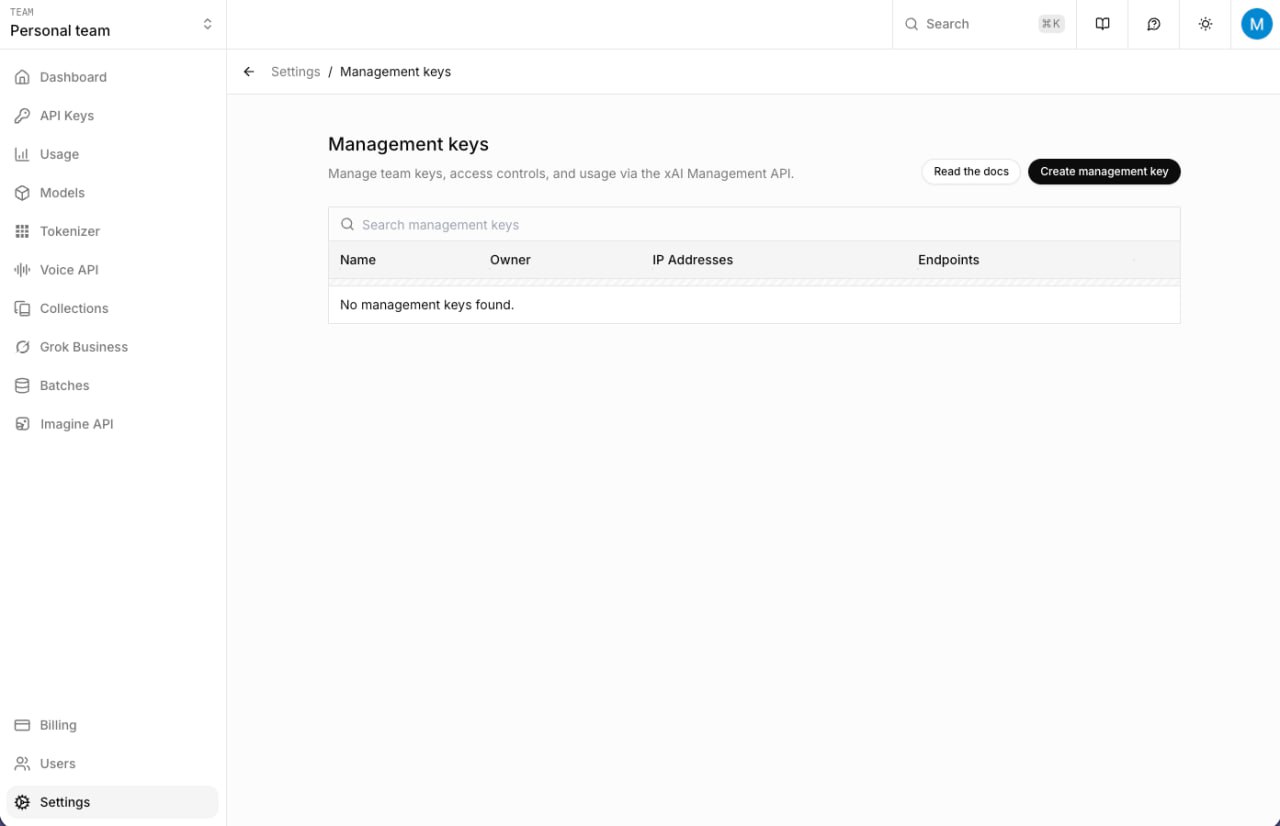
The Management keys page. Click "Create management key".
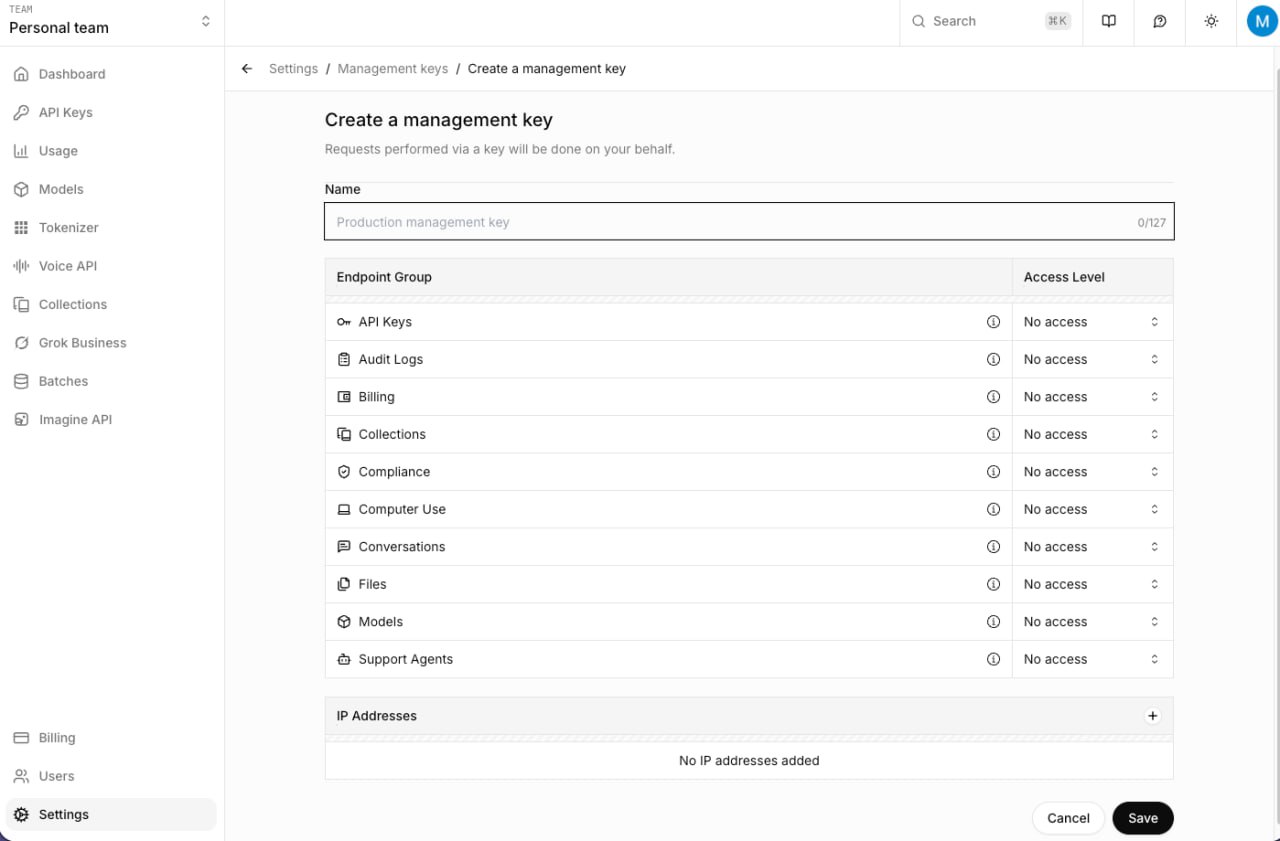
Set "Billing" to Read or Full access. This is what TokenMeter needs to read your spend data.
Copy the key
Copy immediately — shown once only.
Paste into TokenMeter
Open TokenMeter → Settings → Accounts → paste in the xAI field → Save Keys.
Key format
xAI keys start with xai-. Management keys look the same as regular API keys — the difference is they're created under Settings → Management keys, not the regular API Keys page.
A regular xAI API key won't work. Keys created from the "API Keys" page in the sidebar can only make Grok API calls. To read billing data, you need a Management key from Settings → Management keys, with Billing access enabled.
What the key can access
- Account balance
- Usage data per team
- API key metadata
Troubleshooting
"Shows unauthorized or 403"
Your key doesn't have Management scope. Create a new key and make sure to tick the Management permission during creation.
"Balance shows but no daily spend"
xAI's management API shows your account balance but doesn't break down spend by day the way Anthropic and OpenAI do. TokenMeter tracks your balance at the start of each day and calculates spend as the difference. If you just added the key, today's starting balance was just recorded — spend tracking starts from tomorrow (or from the next app launch today).
"I'm on Grok Premium+ — do I need this?"
If you only use Grok through x.com and don't make API calls, toggle on the Grok Premium+ subscription in TokenMeter settings instead. The Management key is only needed for API billing data.