Getting your Anthropic Admin API key
TokenMeter needs an Admin API key to read your billing and usage data from Anthropic. This is different from your regular API key. Admin keys can access cost reports but can't make Claude API calls - they're read-only for billing purposes.
Before you start
You need an Organization. Admin keys are an organization-level feature. If you've only ever used the Anthropic API with a personal account, you may need to create an organization first.
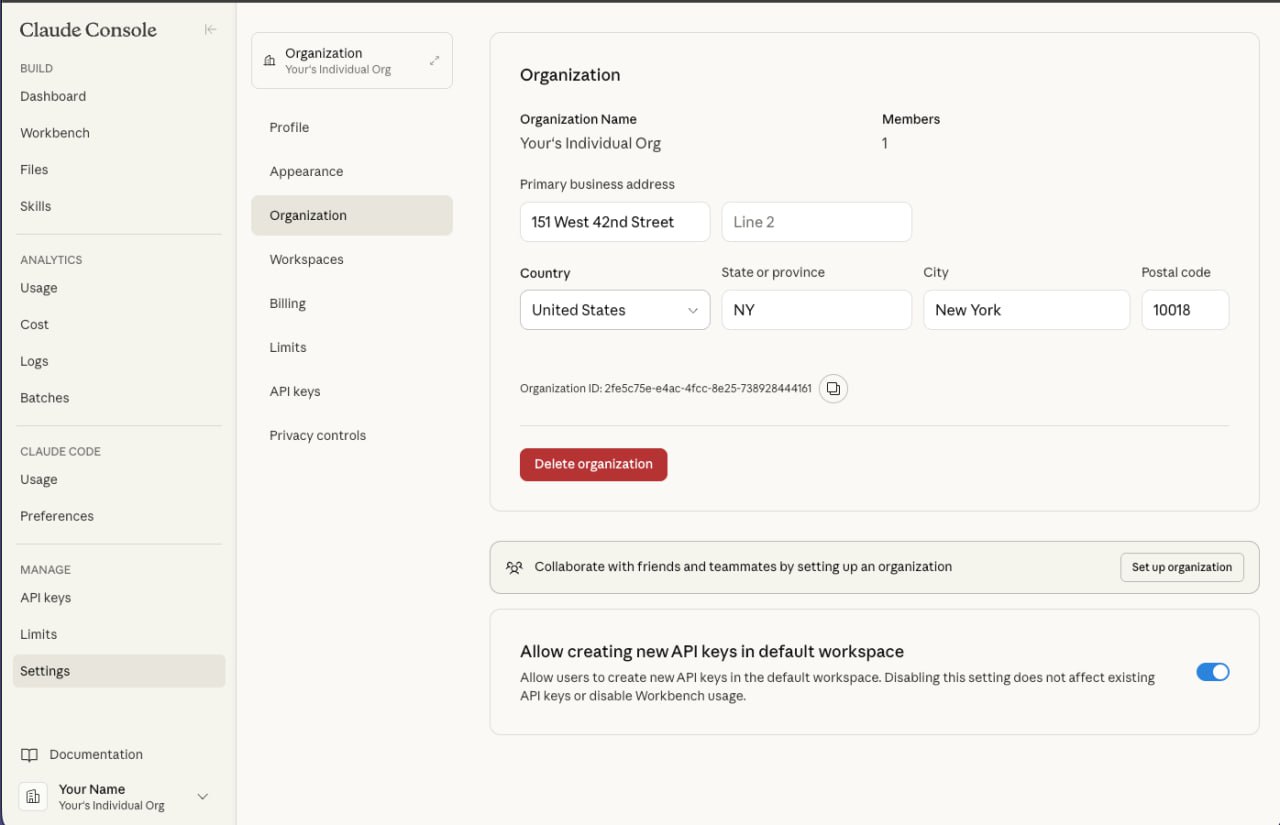
The Organization page. Fill in your organization name, address, and details, then click save.
If you don't have an organization yet, go to Settings → Organization and fill in the required details (name, address). You must complete this before Admin keys will appear in the sidebar. After setting up your organization, it can take up to 1-2 days before the Admin keys option becomes visible - Anthropic reviews new organizations before enabling admin access.
If you already have an organization set up, skip to the steps below.
Step by step
Log into the Anthropic Console
Go to console.anthropic.com and sign in with your account.
Navigate to Admin Keys
Click Settings in the left sidebar, then Admin Keys under the Organization section. If you don't see "Admin Keys", you may not have admin permissions - ask your organization owner.
Create a new Admin key
Click "+ Create Admin Key" in the top right. Give it a name you'll recognize, like "TokenMeter".
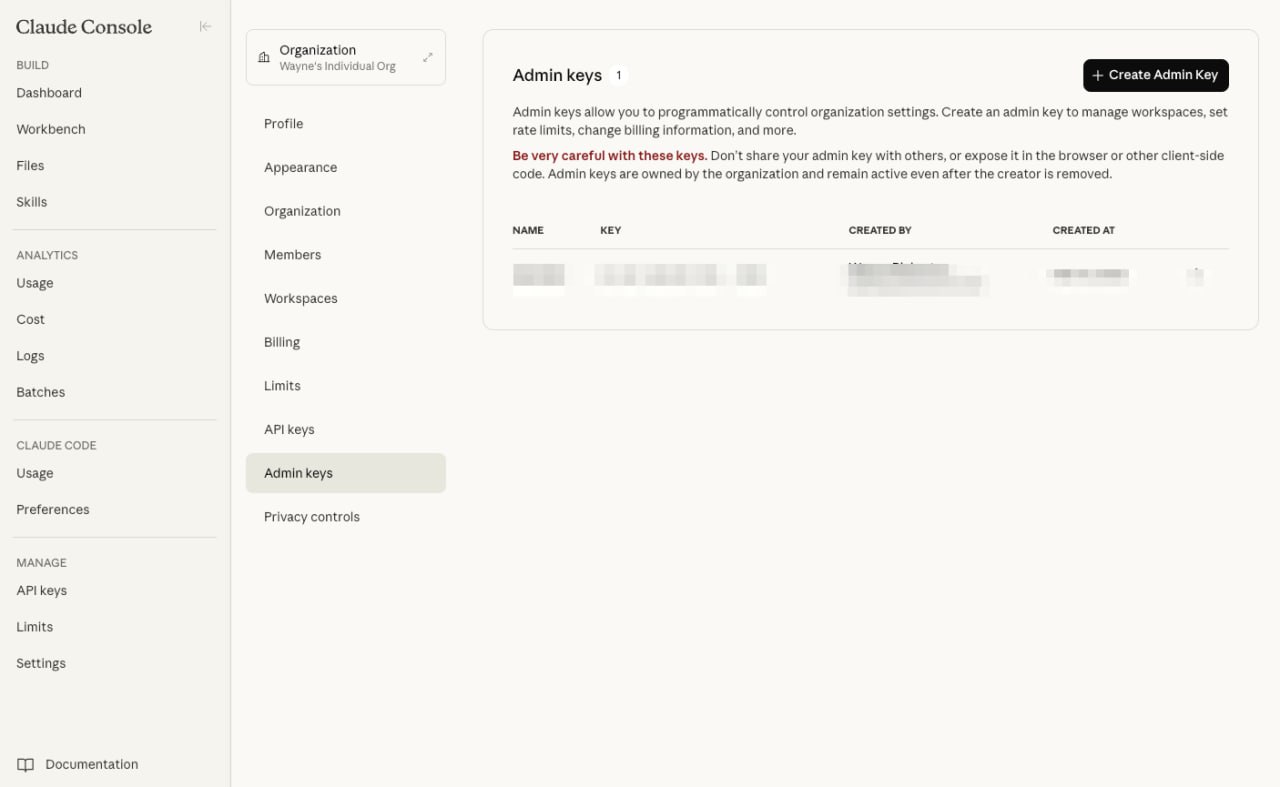
The Admin keys page. Click "+ Create Admin Key" in the top right.
Copy the key
The key is shown once. Copy it immediately. You won't be able to see it again.
Paste into TokenMeter
Open TokenMeter → Settings → Accounts → paste your key in the Anthropic field → Save Keys.
Key format
Admin keys start with sk-ant-admin-. If your key starts with just sk-ant-api, that's a regular API key - it won't work for billing data.
What the key can access
- Cost reports (daily spend by model)
- Organization usage data
- Workspace and member information
Admin keys cannot make API calls. They can't send messages to Claude or use any models. They're strictly for reading organization data. Safe to use in a monitoring tool.
Troubleshooting
"I don't see Admin Keys in Settings"
You need to be an organization admin. If someone else created the org, ask them to either give you admin access or create the key for you.
"I'm on Claude Max - do I need this?"
If you only use Claude through the chat interface (claude.ai) and never make API calls, your API spend will show as $0. That's correct. TokenMeter will still track your Claude Max subscription cost - just toggle it on in Settings → Accounts → Subscriptions.
"The key shows $0 spend but I use the API"
Make sure you're using an Admin key, not a regular API key. Also check that you're looking at the right organization - some users have multiple workspaces.
"Cost data seems delayed"
Anthropic's cost reporting API can have a delay of a few minutes to a few hours. Today's spend may not reflect the last hour of usage. This is on Anthropic's side, not TokenMeter.