Getting your OpenAI Admin API key
TokenMeter uses OpenAI's Admin API to read your organization's cost data. This requires a special Admin key — your regular API key won't work for billing information.
Before you start
You must be an organization owner or admin. Only org-level admins can create Admin API keys. If you use OpenAI through a personal account, you'll need to set up an organization first.
New organizations may have a delay. If you've just created an organization, Admin Keys might not appear in settings immediately. It can take up to 24 hours for the Admin Keys section to show up. This is an OpenAI limitation.
Setting up an organization (if you don't have one)
If you're on a personal OpenAI account and don't see organization settings:
- Go to platform.openai.com/settings
- Look for "Organization" in the sidebar
- If it's not there, you may need to go to Organization Settings to set one up
- Once created, wait — Admin Keys can take up to a day to become available
Step by step
Log into the OpenAI Platform
Go to platform.openai.com (not chatgpt.com — that's the chat interface).
Open Settings
Click the gear icon in the top-right corner, or go directly to Settings in the left sidebar.
Navigate to Admin Keys
In the left sidebar under Organization, click Admin keys. If you don't see this option, you're either not an admin or your org is too new (see note above).
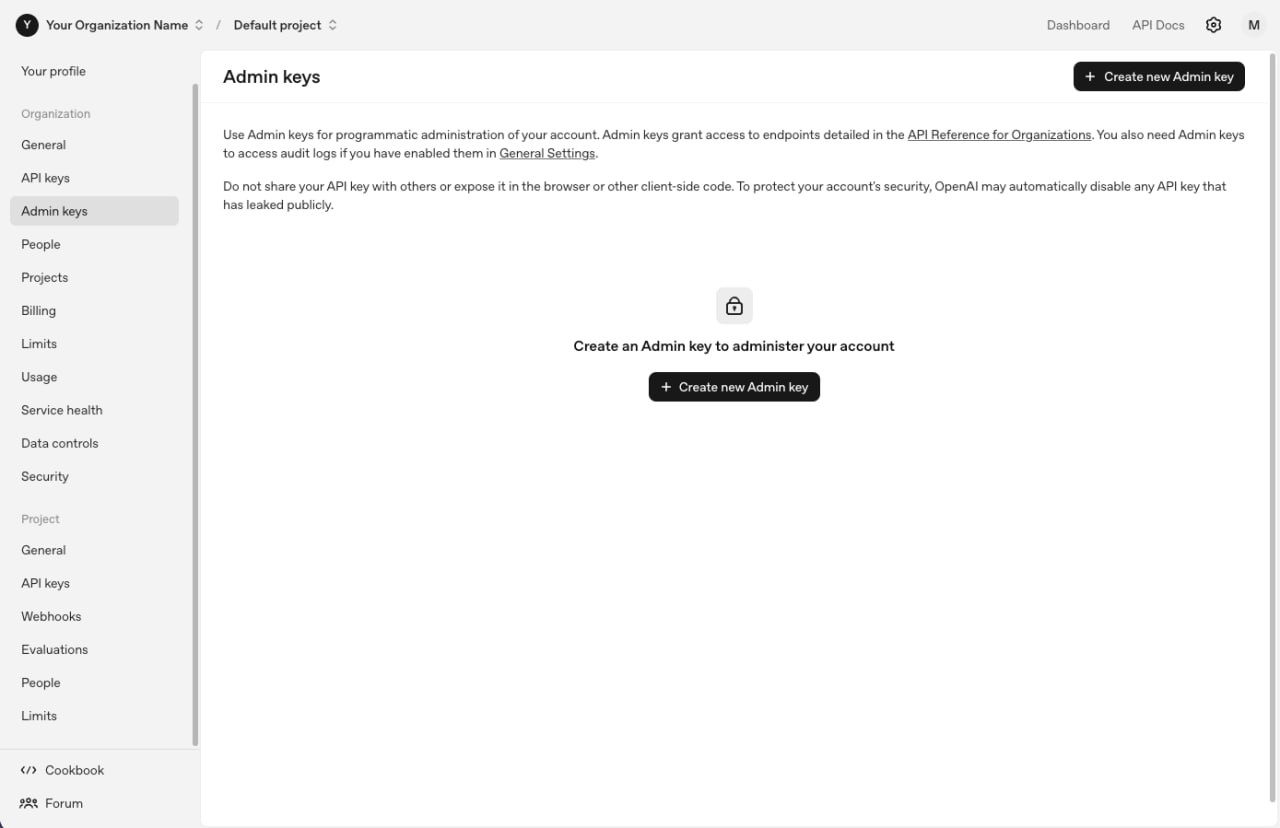
The Admin keys page. Click "+ Create new Admin key" in the top right.
Create admin key
Click "+ Create new Admin key". Give it a name like "TokenMeter". You can leave permissions on "All" — or select "Read only" if you prefer.
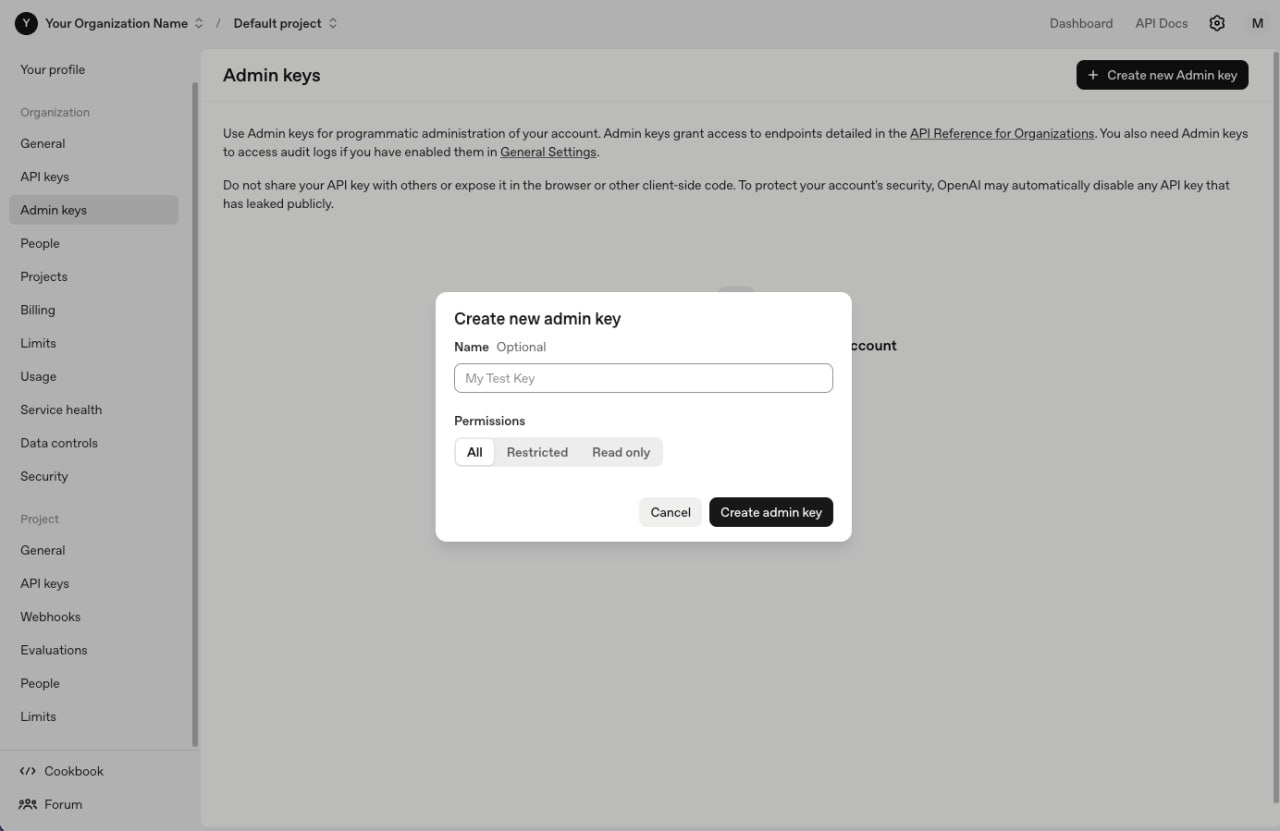
Name your key "TokenMeter" and click "Create admin key".
Copy the key
Copy it immediately — you won't see it again. Store it somewhere safe if you want a backup.
Paste into TokenMeter
Open TokenMeter → Settings → Accounts → paste in the OpenAI field → Save Keys.
Key format
Admin keys start with sk-admin-. Regular API keys start with sk-proj- or sk- — those won't work for cost data.
What the key can access
- Organization cost data (spend per day, per model)
- Usage statistics
- Project and member information
Default Project vs Organization. OpenAI organizes API usage into Projects. TokenMeter reads organization-level costs, which covers all projects. If you use multiple projects, you'll see the combined total.
Troubleshooting
"I don't see Admin Keys in my settings"
Three possible reasons:
- You're not an org admin — ask your org owner
- Your organization is new — wait up to 24 hours
- You're on platform.openai.com but looking in the wrong section — it's under Organization, not your personal API Keys
"I'm on ChatGPT Plus — do I need this?"
If you only use ChatGPT through the web interface and never make API calls, your API spend will be $0. Toggle on your ChatGPT Plus subscription in TokenMeter (Settings → Accounts → Subscriptions) to track that cost instead.
"Cost data looks wrong or shows $0"
Make sure you're using an Admin key (starts with sk-admin-). Regular API keys can't access the costs endpoint. Also check you have the right organization selected if you belong to multiple.
"Data is delayed"
OpenAI's cost API can lag by 5-15 minutes. Recent usage may not appear immediately.